Guide
Scrum vs Kanban in Trello
Both work. But they suit very different kinds of teams and very different kinds of work. Here's how to tell which one fits yours.
They look the same on a board
Both scrum and kanban boards in Trello have a backlog on the left and a done column on the right, with a few stages in between. That's why the choice feels harder than it is. The difference isn't really in the setup - it's in the rhythm.
Scrum works in fixed time boxes called sprints, usually two weeks. The team picks a chunk of work at the start of the sprint, commits to it, and delivers at the end. New work waits. That boundary is the mechanism - it forces prioritization and gives you a regular cadence to reflect on what went well.
Kanban has no sprints. Work flows continuously from a backlog through your columns. Someone finishes a card, they pull the next one. No planning ceremony, no commitment window. The discipline comes from limiting how much is in progress at once rather than from a deadline.
Running scrum in Trello
The thing that makes a board a scrum board - not just any agile board - is the Sprint Backlog column. That's where the sprint's committed scope lives. A typical setup:
- Backlog - everything that could be worked on, prioritized but not committed
- Sprint Backlog - cards the team committed to this sprint during planning
- In Progress - actively being worked on
- In Review - done but waiting on sign-off or QA
- Done - finished, archived at end of sprint
At sprint start, you drag cards from Backlog into Sprint Backlog. That's your commitment. Cards move right during the sprint. Done gets archived at the end. Repeat.
The ceremonies matter more than most teams expect. Sprint planning, standups, a sprint review, a retrospective. Teams that skip most of these and wonder why scrum isn't working are usually running a board with a Sprint Backlog column that nobody actually believes in. You can run a lightweight version of each ceremony - but you can't skip them entirely and still call it scrum.
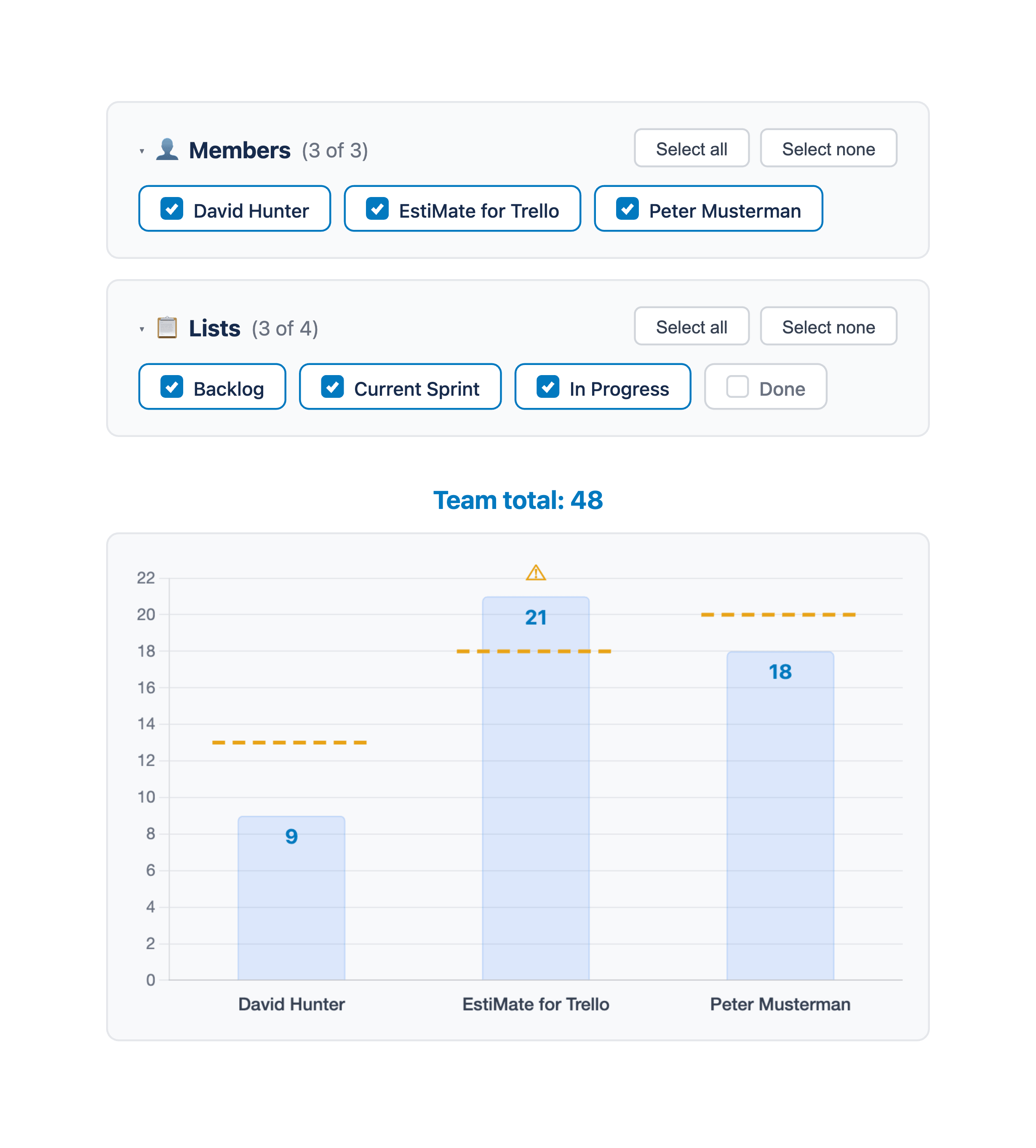
You also need to estimate. There's no good way to answer "how much can we take on this sprint?" without knowing how big the cards are. Most teams use story points on a Fibonacci scale. It feels imprecise at first, and then after a few sprints your velocity stabilizes and sprint planning gets dramatically easier.
Running kanban in Trello
A kanban board is simpler to set up and harder to run well. Drop the Sprint Backlog:
- Backlog - prioritized queue of incoming work
- In Progress - being worked on right now
- In Review - waiting on feedback or approval
- Done - finished
The part most teams get wrong: kanban isn't just "do work whenever." The whole system depends on WIP limits - a cap on how many cards can be in a column at once. When In Progress hits its limit, nobody pulls new work. Instead, they help move something forward that's already in flight. That constraint is what creates actual flow instead of a pile of half-done things.
Trello won't enforce WIP limits for you. Most teams put them in the column name ("In Progress (max 3)") and rely on honesty in standups. It works if the team takes it seriously.
The metric that replaces velocity here is cycle time - how long a card takes from start to done. If that number is climbing, something is creating a bottleneck somewhere. Finding and fixing that bottleneck is the main job of a kanban team.
Which one actually fits your team
The honest version: most software product teams should be doing scrum, and most support or operations teams should be doing kanban. Not for philosophical reasons - for practical ones.
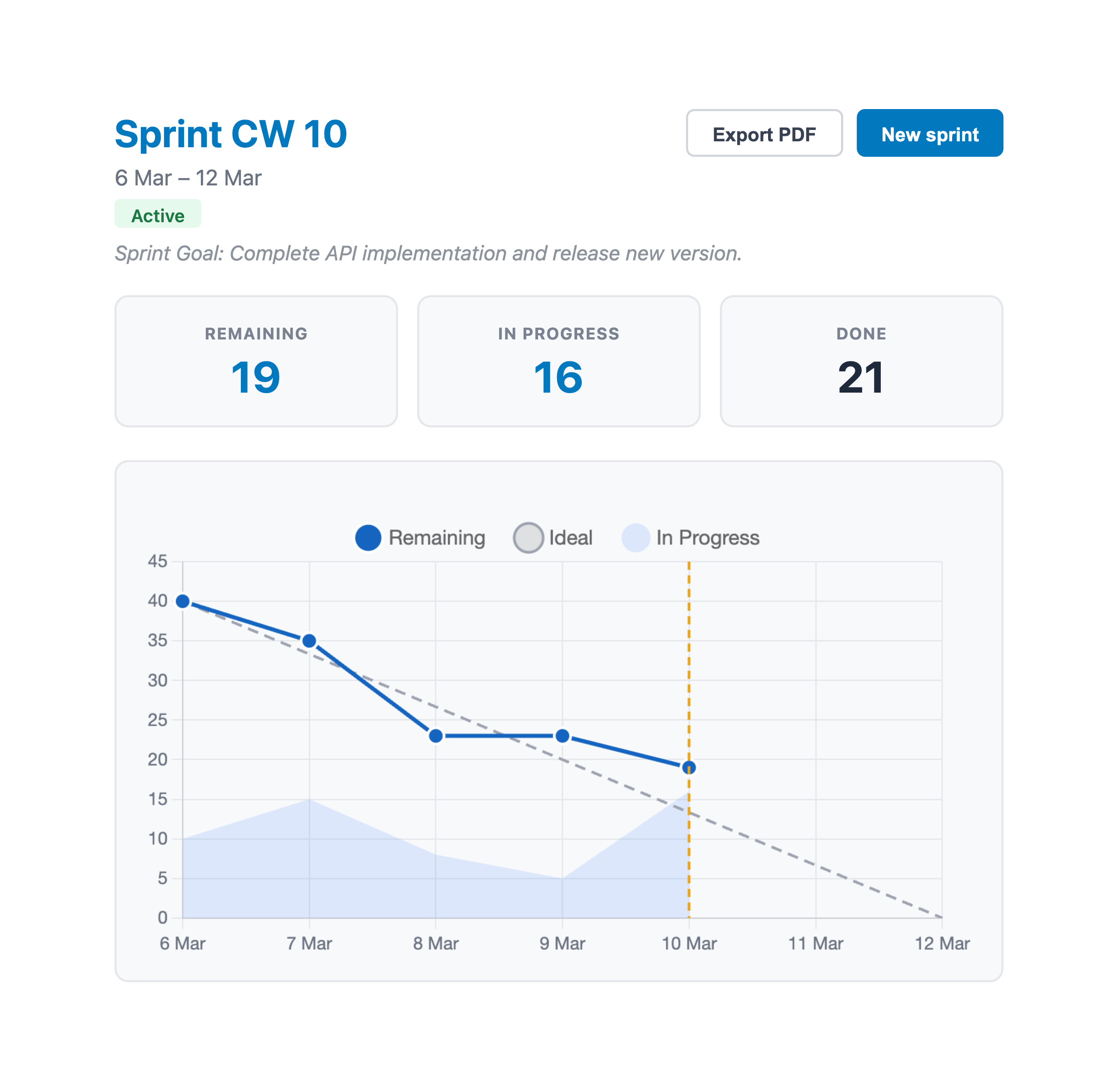
Product work comes in batches. Features, user stories, bug fix groups. There's a roadmap, stakeholders who want to know what's shipping this fortnight, a backlog that needs to be prioritized. Sprint planning feels like overhead until you realize it's the thing that stops the team from juggling twelve half-finished things forever. And the data you get from tracking velocity and watching burndown charts is genuinely useful for planning ahead.
Support and ops work doesn't come in batches. Tickets arrive. Production breaks. Nobody is going to wait for next sprint to fix the authentication bug. A two-week commitment window in that environment isn't discipline - it's theater. Kanban with WIP limits gives you the structure you actually need without the parts that don't apply.
The simplest test: can your team commit to a sprint backlog and protect it from interruption for two weeks? If yes, scrum. If your sprint backlog gets reshuffled every few days no matter what you do, don't fight it - set up kanban properly and optimize for flow instead.
The failure mode worth knowing about
There's a third option that's probably more common than either: teams running scrum on paper but not in practice. They have sprint columns but skip planning. They call it a sprint but scope changes without any discussion. They don't estimate, so nobody knows if the sprint is realistic until three days before it ends.
This is the worst of both worlds. You get the overhead of having sprint ceremonies (however abbreviated) without the focus that makes sprints actually useful, and none of the flow thinking that makes kanban effective. If this sounds familiar, it's worth an honest conversation - pick one and do it properly, or make an explicit decision to go hybrid and define what that means.
On Scrumban
Deliberately blending both is fine. Keep the sprint cadence for planning and stakeholder communication, add WIP limits to keep things moving, cut the ceremonies that add no value for your team. Plenty of teams land here and it works well.
The failure mode is drifting into it by accident. "We're doing scrum but more relaxed about it" slowly becomes a process nobody can describe and nobody owns. Get there intentionally and it's a reasonable approach. Get there by erosion and it's a mess.
Where to start
If you're building a product and unsure, start with scrum. It gives you more structure and more feedback loops, which is useful when the team is still calibrating. You can always loosen the process once you know what you're doing. Going the other direction - adding structure to a team that's used to no structure - is harder.
If you go the scrum route, EstiMate adds story points, planning poker, sprint tracking, burndown charts, and velocity - everything you need to run a real scrum process without leaving Trello.
Keep reading
- How to Forecast When Your Project Will Be Done in Trello - get a completion date with no sprints required
- How to Set Up Trello for Scrum - board structure, labels, and sprint workflow
- Trello Sprint Planning Guide - running sprint planning meetings and managing capacity
- How to Estimate Story Points in Trello - choosing scales and estimating per member
- Planning Poker in Trello - run estimation sessions that avoid anchoring bias
- Burndown Charts for Trello - track sprint progress and spot problems early
- How to Track Team Velocity in Trello - measure and use your team's sprint velocity
- Capacity Planning for Trello Teams - plan sprint capacity based on team availability
- What 1,000 Trello Teams Taught Me About Estimation - patterns I keep noticing across teams
Run scrum in Trello with real estimation and sprint tracking
EstiMate adds story points, planning poker, burndown charts, and velocity tracking to your Trello board. Free to get started.
Add EstiMate to Trello